Apple Playlists
There are so many ways to open and enjoy Apple Playlists, but I just created my favorite way to view and access my Apple-curated mixes, my favorite playlists, and the best radio stations as well as getting notified of when new music is added.
When I moved over to Apple products, one of the first things I did was create an Apple Note with links to playlists and radio stations. I thought it was amazing that I could easily link into an app.
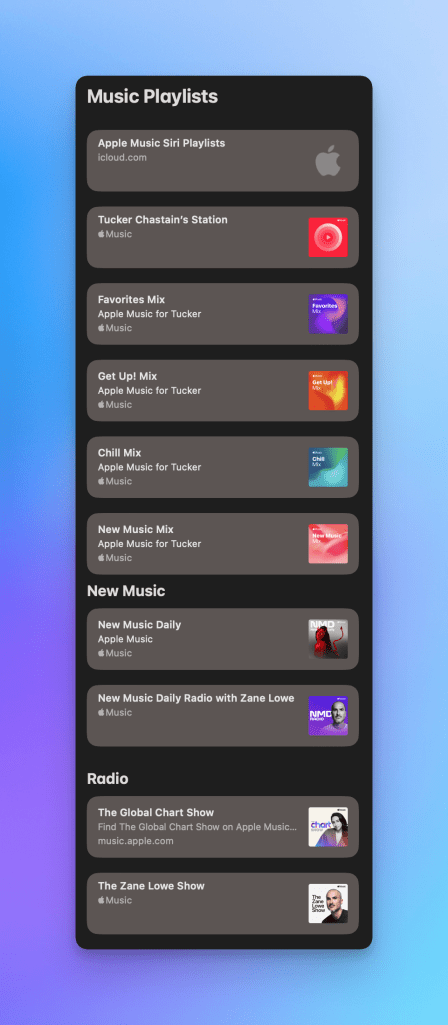
I loved the link previews and being able to see the artwork within the note.
As time passed, I stopped going into the note. It is such a long process to click into Notes and navigate my way into the note and then scroll to what I was wanting to listen to. As I learned more about Shortcuts and how Apple products work, I created a home screen shortcut to the note.
This satisfied me again with a quicker process, but I once again let the shortcut fade as I still hated tapping the shortcut and waiting for it to open up before scrolling my list to find the playlist that I wanted. I also hated opening a playlist to have the same songs that I had already listened to. I didn’t pay attention that the playlists were updated on a regular basis.
So, I spent some time to see when the playlist was updated and when the radio stations published new episodes. I created tasks within Todoist with links to the playlist and radio stations and set them to remind me on the days that they were published. This really scratched my itch for a while because they surfaced when I needed them, but were not there when I had listened to them and marked them as done. The links were just text and I quickly forgot which I wanted to listen to. New Music Daily playlist and NMD Radio were always confusing to me in deciding which was a playlist of new music and which was the interview show with Zane Lowe. I had no artwork to guide me.
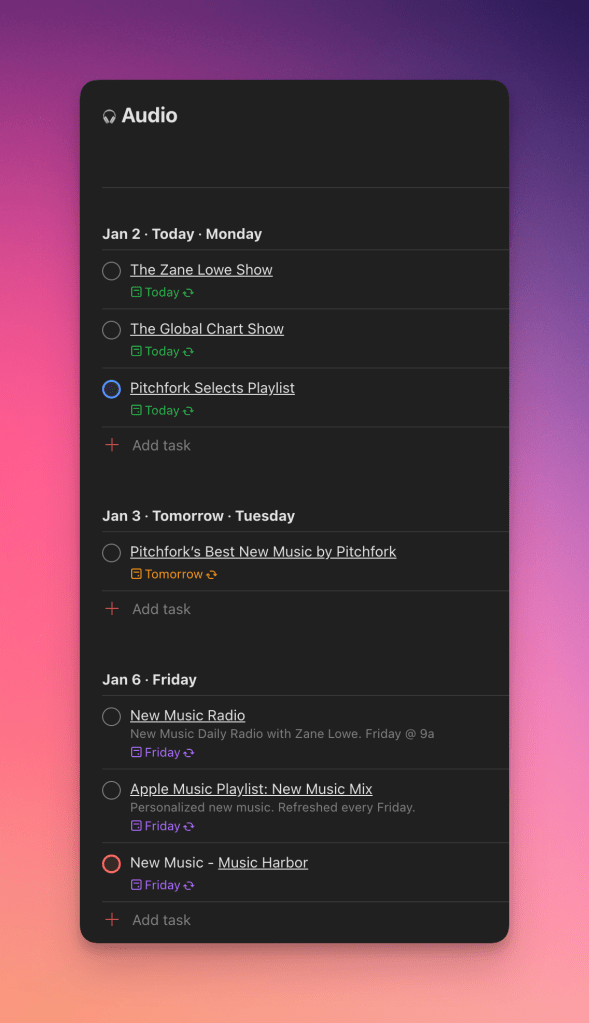
What about when I wanted to go back and listen to the playlists again?
This led me to do some tinkering again with shortcuts. I created a Music folder on the Home Screen and added links to the playlists, mixes, and radio stations. I also took screenshots of the playlist art as I was adding the playlists so that I could quickly see what playlist I was choosing.
This seems to be the solution that I was needing. I can get reminded of when new music is added as well as have the ability to view the artwork for the playlists.
Let me know if you have any questions on a more detailed run down of how to create the Home Screen shortcuts as it was a very easy process to follow.